Extract, the _ exist (); add to the editorial interface of Wordpress pages

There may be many situations where a "post _ title" and "post _ content" would be good for a additional field for both admin and template frontend. The simple snippet that fits into function s.php will immediately make this field available to us.
// Kivonat támogatás hozzáadása az aktív sablon oldalaihoz by berelhetoweboldal.hu
function netroponthu_add_excerpt_to_pages() {
	add_post_type_support( 'page', 'excerpt' );
}
add_action( 'init', 'netroponthu_add_excerpt_to_pages' );
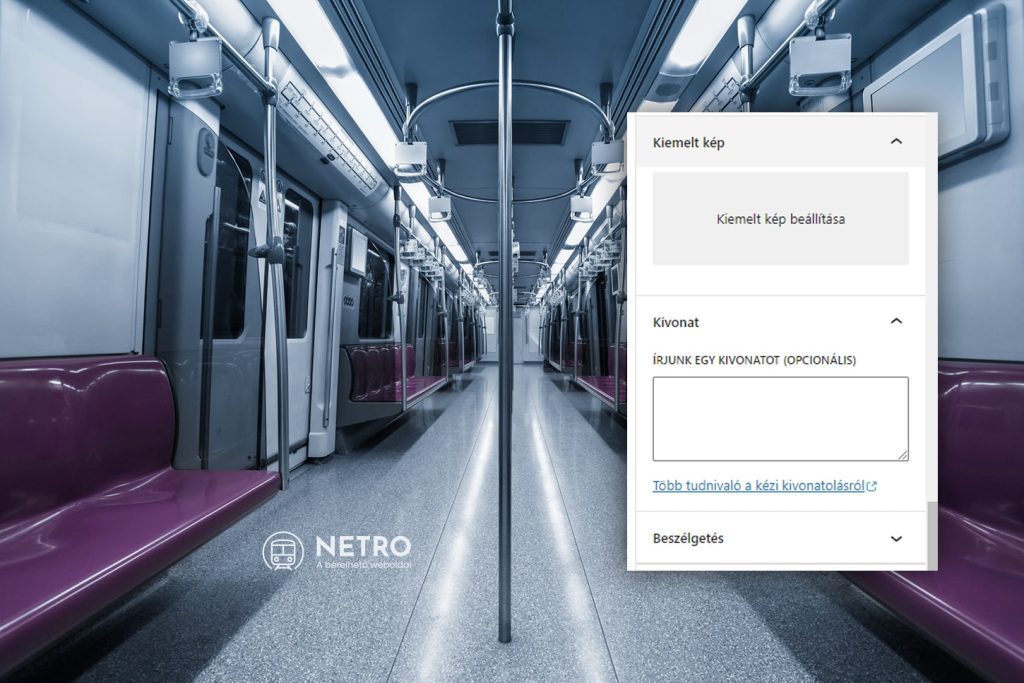
If you did everything right, then in the usual Wordpress sidebar, the entry in the ear between the highlighted image and the conversation appeared the immediately usable extract field.
How can I use it in the template?
There are many ways to write it, and this is within a Wordpress loop, where we cut the content to a maximum of 40 words in length.
<?php
// Az excerpt változóba lekérjük a mező tartalmát by berelhetoweboldal.hu
$excerpt = get_the_excerpt();

// Igény esetén tetszőleges hosszúságúra, a példánkban maximum 40 szavasra vágjuk.
$trimmed_excerpt = wp_trim_words( $excerpt, 40, '...' );

// Kiírjuk a levágott kivonatot és három pontot helyezünk el a szövegünk végére.
echo $trimmed_excerpt;
?>
There's a Wordpress outside of the loop.
<?php
// Meghatározzuk az $oldalID változóba annak az oldalnak az azonosítóját, melynek a kivonatát leakarjuk kérni by berelhetoweboldal.hu
$oldalID = 0;

// Az excerpt változóba lekérjük a mező tartalmát az előzőleg definiált oldalból
$excerpt = get_post_field( 'post_excerpt', $oldalID );

// Kiírjuk a kivonatot
echo $excerpt;
?>
Are you stuck? Can we help you?
If all this is "Chinese" to you or you don't want to deal with anything like this, you can subscribe to our rental website, where you can use the options offered by the extract field in every template.

Latest Entries
Recent entries
- The story of the seven Sopron heroes: how they defeated invisibility with their website
- Rental website from Sopron anywhere - NETRO on new bases, the Apollo template arrived
- Human in the loop, or why do you need to be behind AI and your website!
- From Confectionery to Accountant: Entrepreneurs who have also written on Google what they think of their website and NETRO team
- Marketing expert or AI chat window? - 7 main aspects worth knowing before making a website..
- It's not a matter of luck - 15 videos show you how to build a visible customer-bringing business online
- Is your business recommended by AI? Useful information you need to know about the search optimisation for artificial intelligence..
- The 2026 year 15 crucial online marketing tips for your website - videos
- What do we do with our website after we successfully start it?
- Not promises, but examples that work: 70 online subscribers whose digital presence really starts on the website